Game Knowledge Base
Battle Pass
The Battle Pass (BP) is a seasonal reward system that lets you earn resources, equipment, and cosmetic items by completing in-game missions and advancing through Pass stages. Each season lasts one month.
How the Battle Pass Works
The Pass consists of 40 stages and includes three reward tracks:
- Free track (grey border) — available to all players without exception. Advancing through stages rewards you with rare cosmetic items, resources, and Battle Pass Credits.
- Premium track (blue border) — unlocked by purchasing the Premium Battle Pass, which immediately unlocks 5 stages. Grants access to an additional reward track: more BP Credits and resources, as well as exclusive seasonal camouflages and avatars.
- VIP track (gold border) — unlocked by purchasing the VIP Battle Pass, which immediately unlocks 15 stages. Grants instant access to 5 additional seasonal rewards: BP Credits, legendary cosmetics, and one unique gameplay item available exclusively in this track.
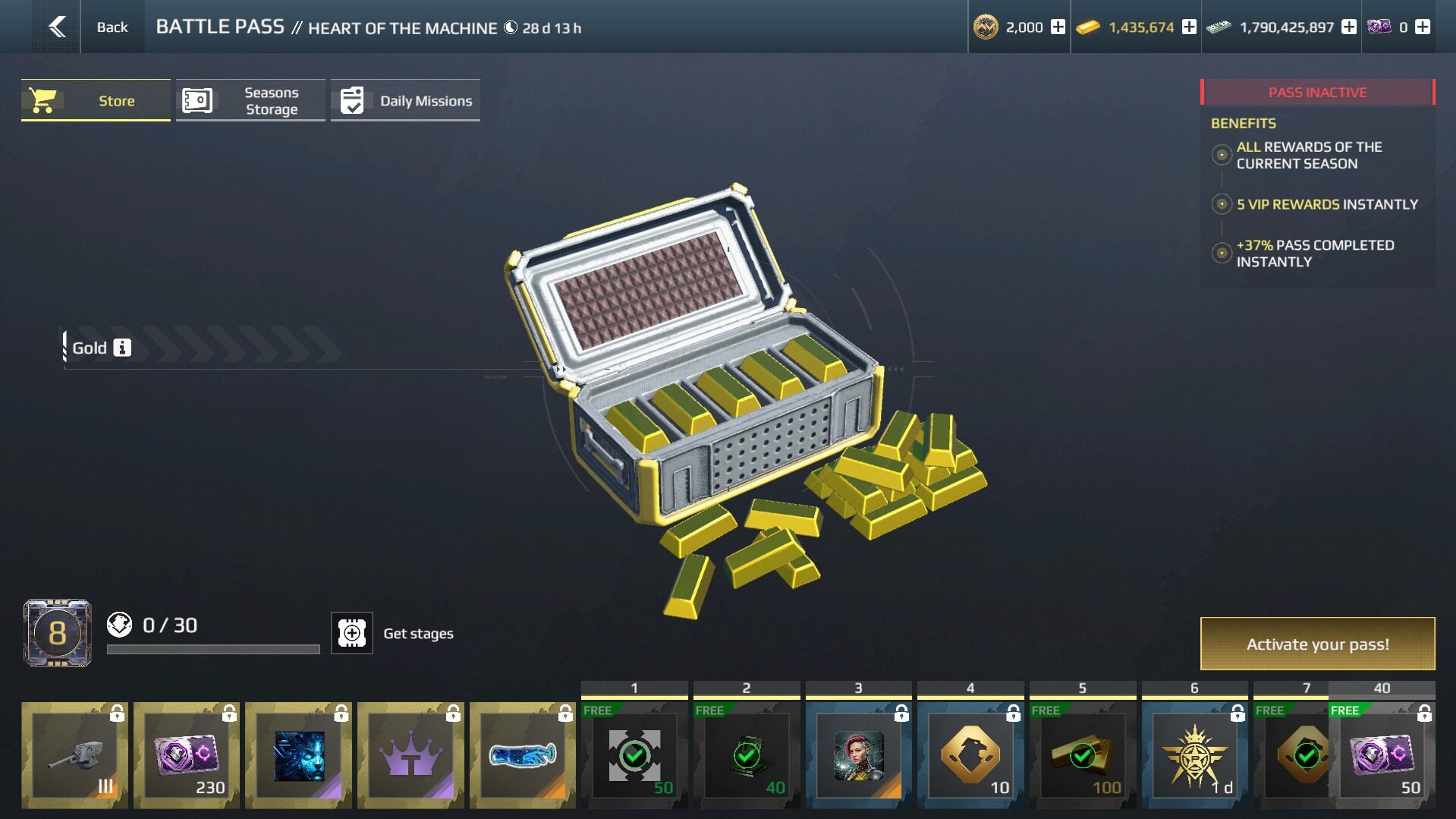
Stages are unlocked using Pass Points, which can be earned by completing daily missions, or purchased with Gold or in the BP Store.
Progress and Daily Missions
Each new stage requires 30 Pass Points to unlock. The Pass has 40 stages in total, each offering a separate reward.
To advance through the stages, complete daily missions:
- 5 different missions are available each day: destroy enemy ships, earn experience, play as specific ship classes, and more.
- With an active Premium or VIP Pass, 2 additional missions are available every day for the rest of the season.
- Completing each mission rewards you with Pass Points, as well as in-game currency or combat consumables.
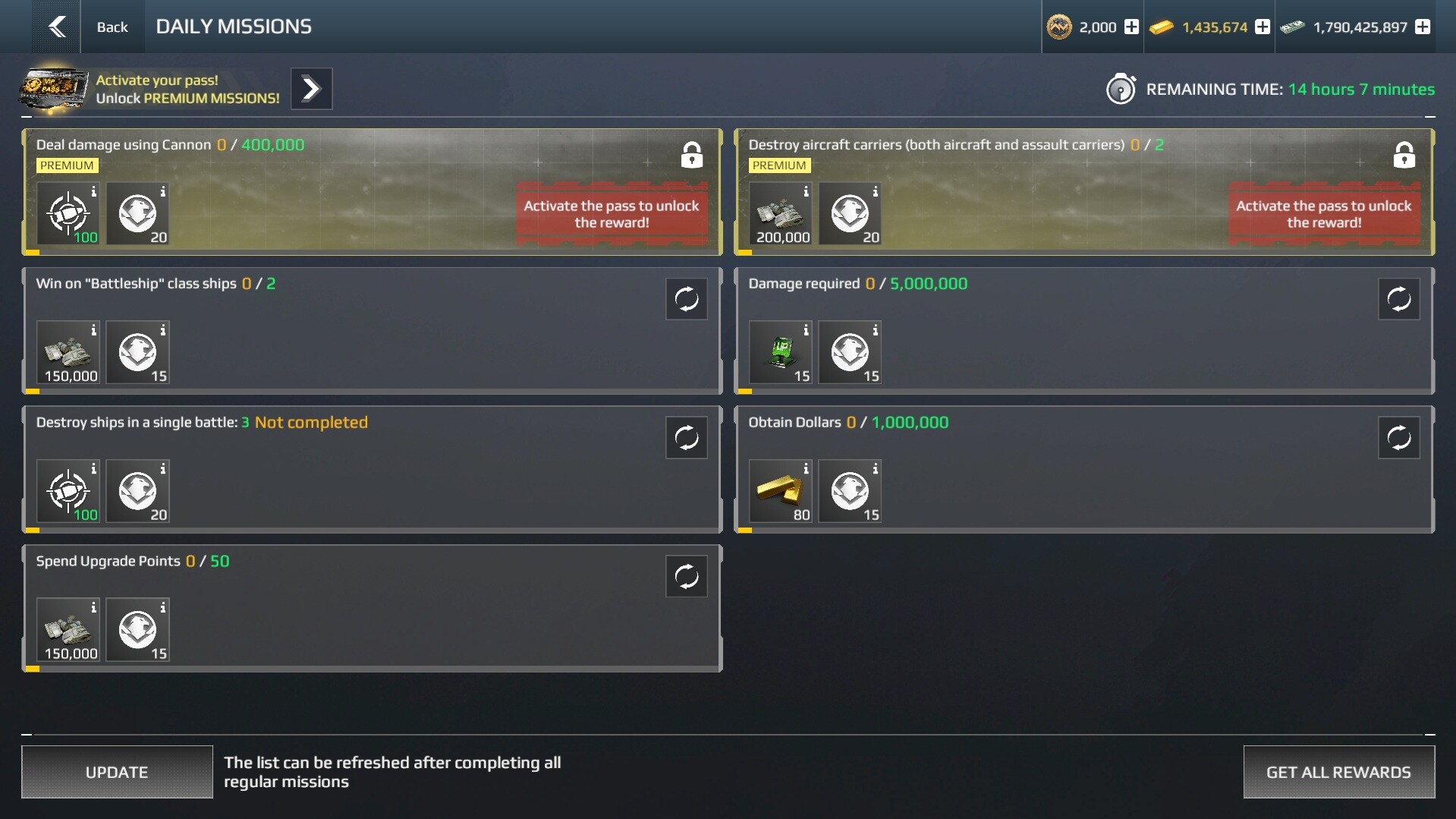
Replacing Missions:
Any mission can be replaced if it doesn't suit you.
- To replace a specific mission, tap the double-arrow icon next to it.
- The first replacement costs 10 Gold. Each subsequent replacement of any mission within the same day costs more, up to a maximum of 30 Gold.
- Once all missions are completed, you don't have to wait until the next day — tap the "Refresh" button to instantly receive a new set of missions. The first refresh of the day costs 200 Gold, with each subsequent one costing more. Missions can be refreshed up to 5 times per day.
Purchasing Pass Stages
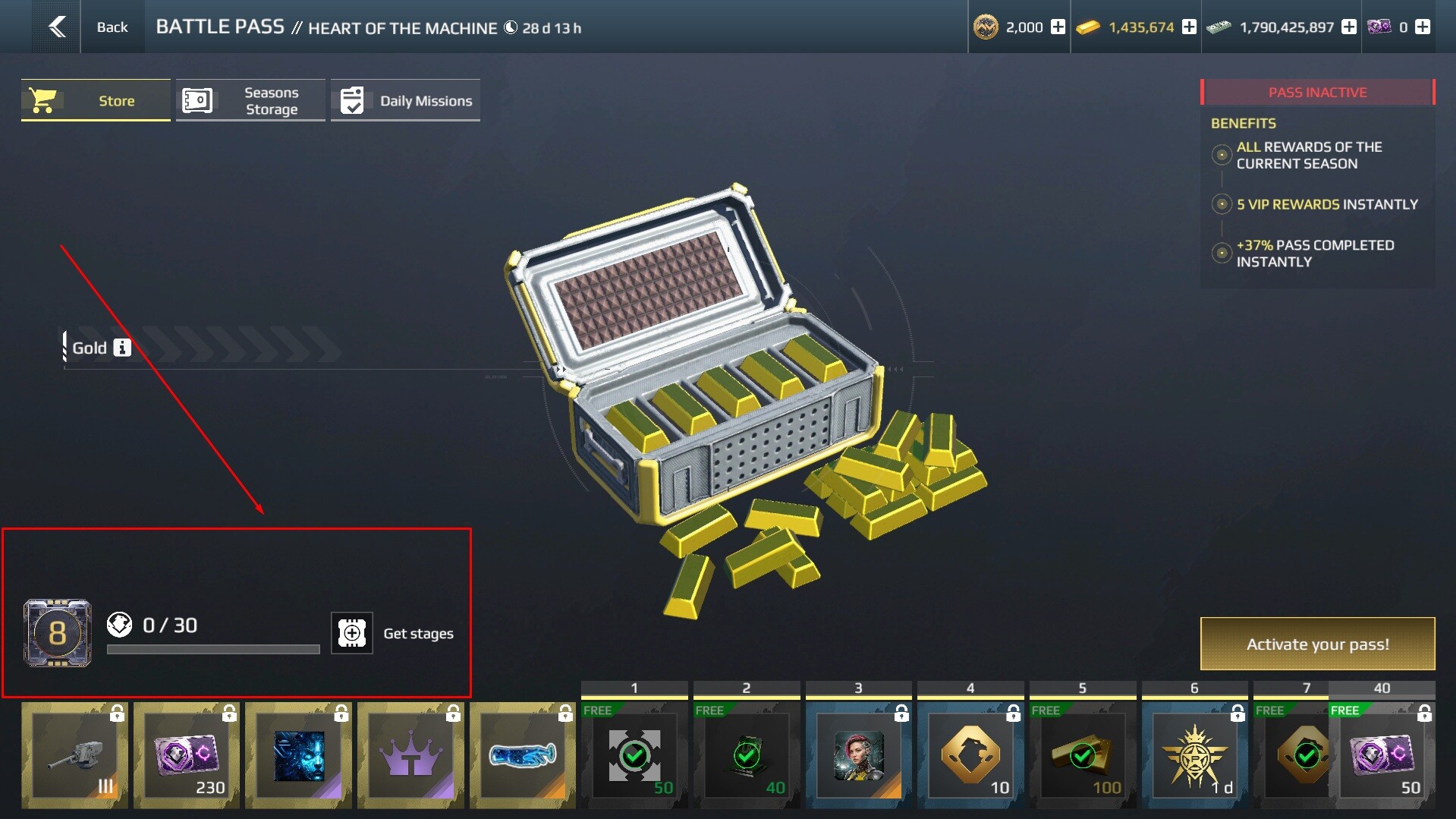
Instead of completing missions, you can purchase any number of stages with Gold — tap "Add Stages" in the main Pass window. Each stage costs 750 Gold.
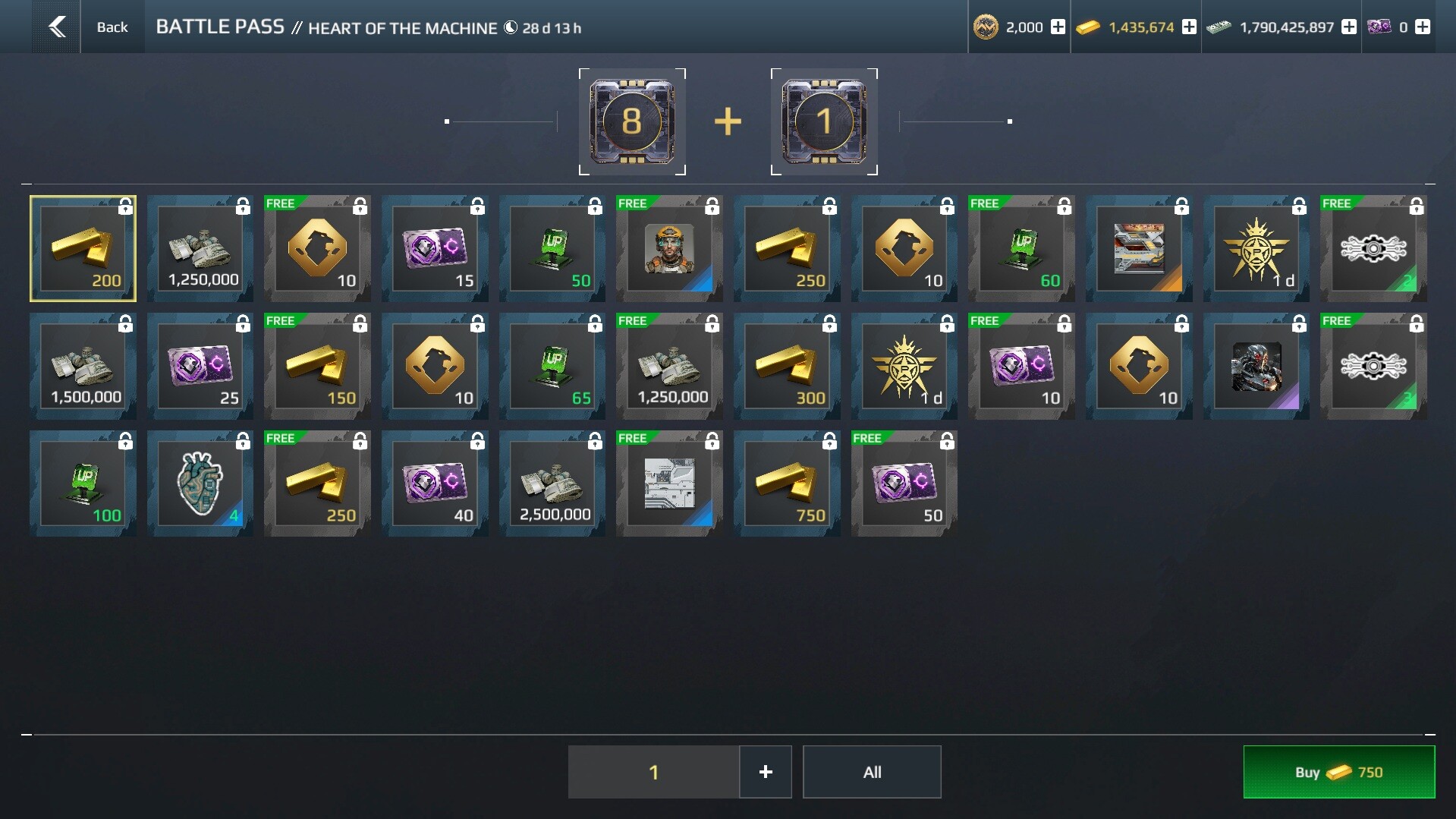
Important: purchasing stages is not a substitute for the Premium or VIP Pass. You will advance your overall progress, but will only receive rewards from whichever track is currently active.
Resetting the Battle Pass
After completing all 40 stages, you can reset the Pass for 2,500 Gold and run through it again to earn even more Credits and resources.
- The maximum number of resets per season is 2.
- To receive Premium and VIP rewards in a repeated run, you must purchase the corresponding Pass upgrade again.
Battle Pass Credits
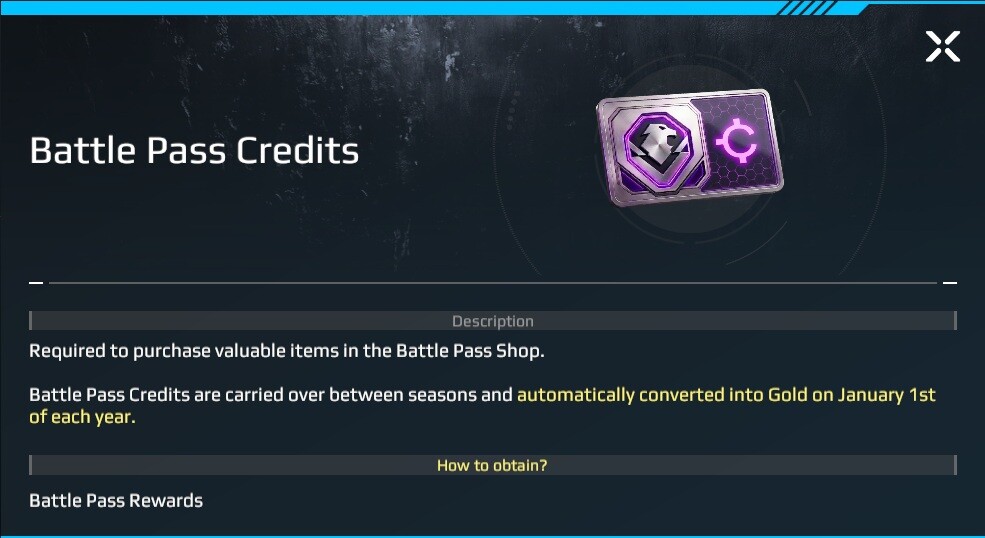
BP Credits are the primary seasonal currency earned by advancing through Pass stages. They can be spent on ships and equipment in the Battle Pass Store.
Key Features:
- Credits carry over between seasons — save them and spend them whenever you're ready, without being tied to the current season.
- On January 1st, all unspent BP Credits are automatically converted to Gold. Keep an eye on your balance toward the end of the year — the game will send a reminder email 2 months before the conversion.
- Premium and VIP Passes award significantly more Credits per season compared to the free track.
Battle Pass Store
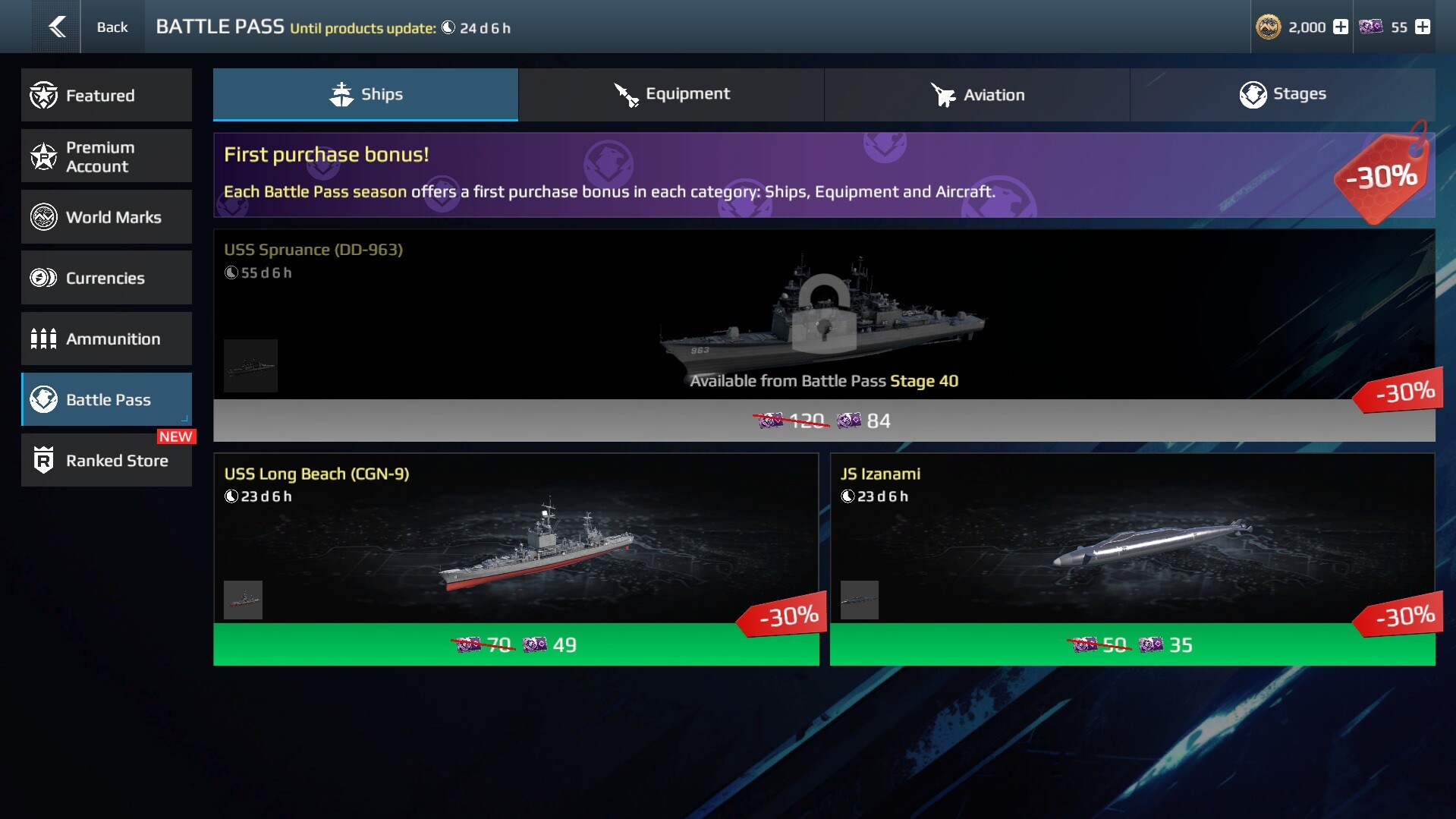
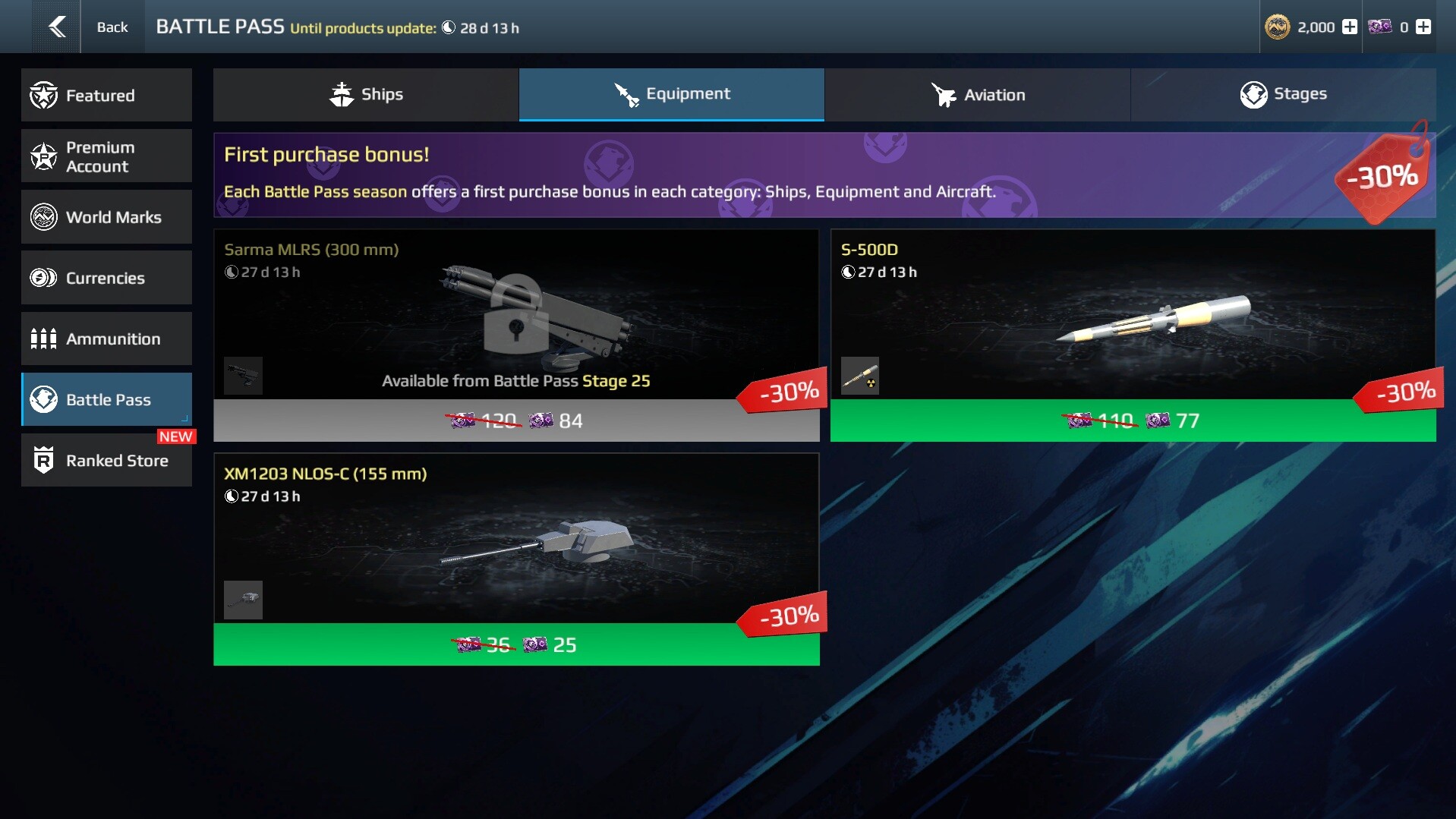
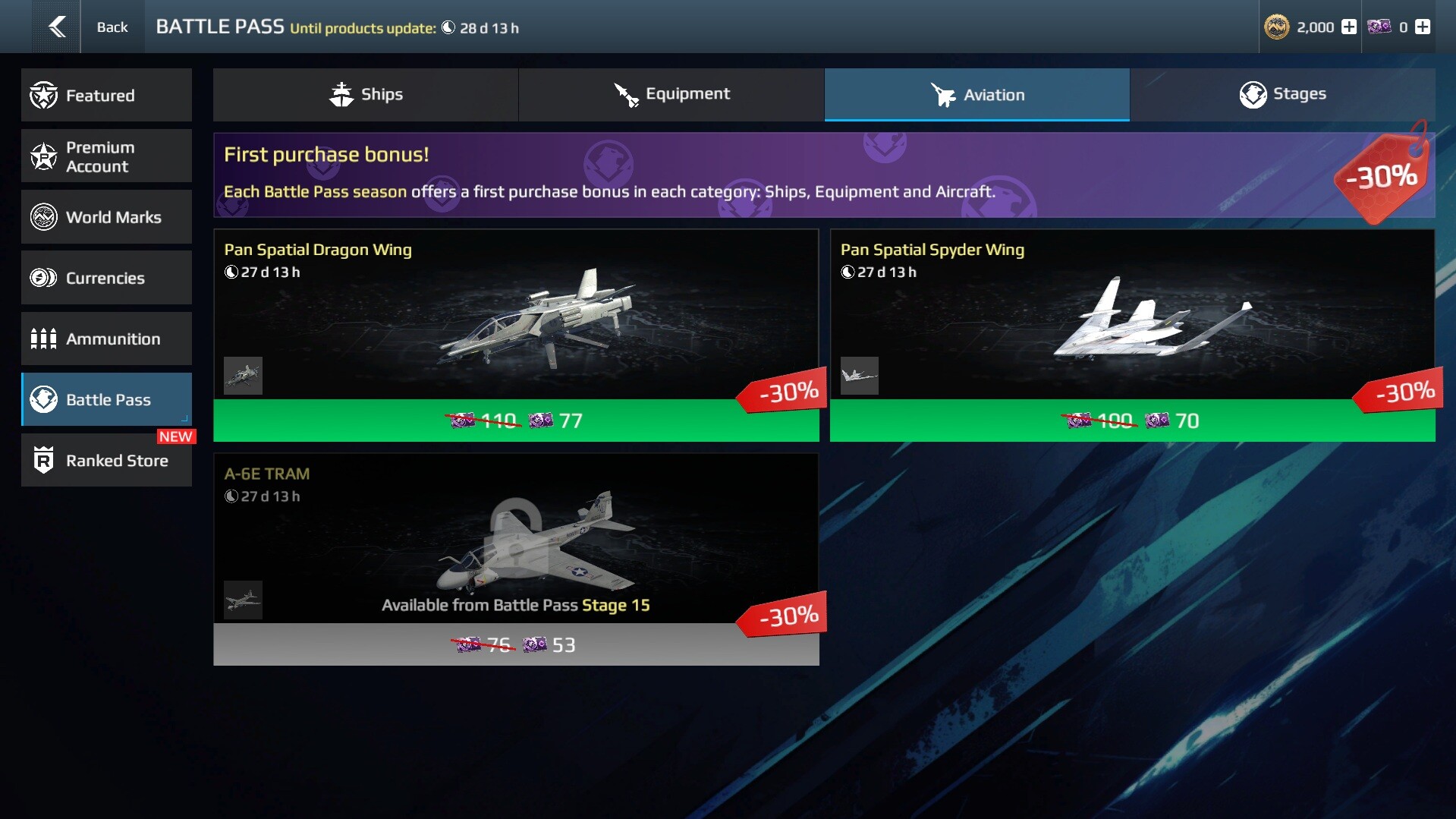
The BP Store offers brand-new ships and equipment, as well as popular items from previous seasons.
The inventory is divided into four categories:
- Ships
- Aviation
- Equipment
- Stages (purchasing Pass stages)
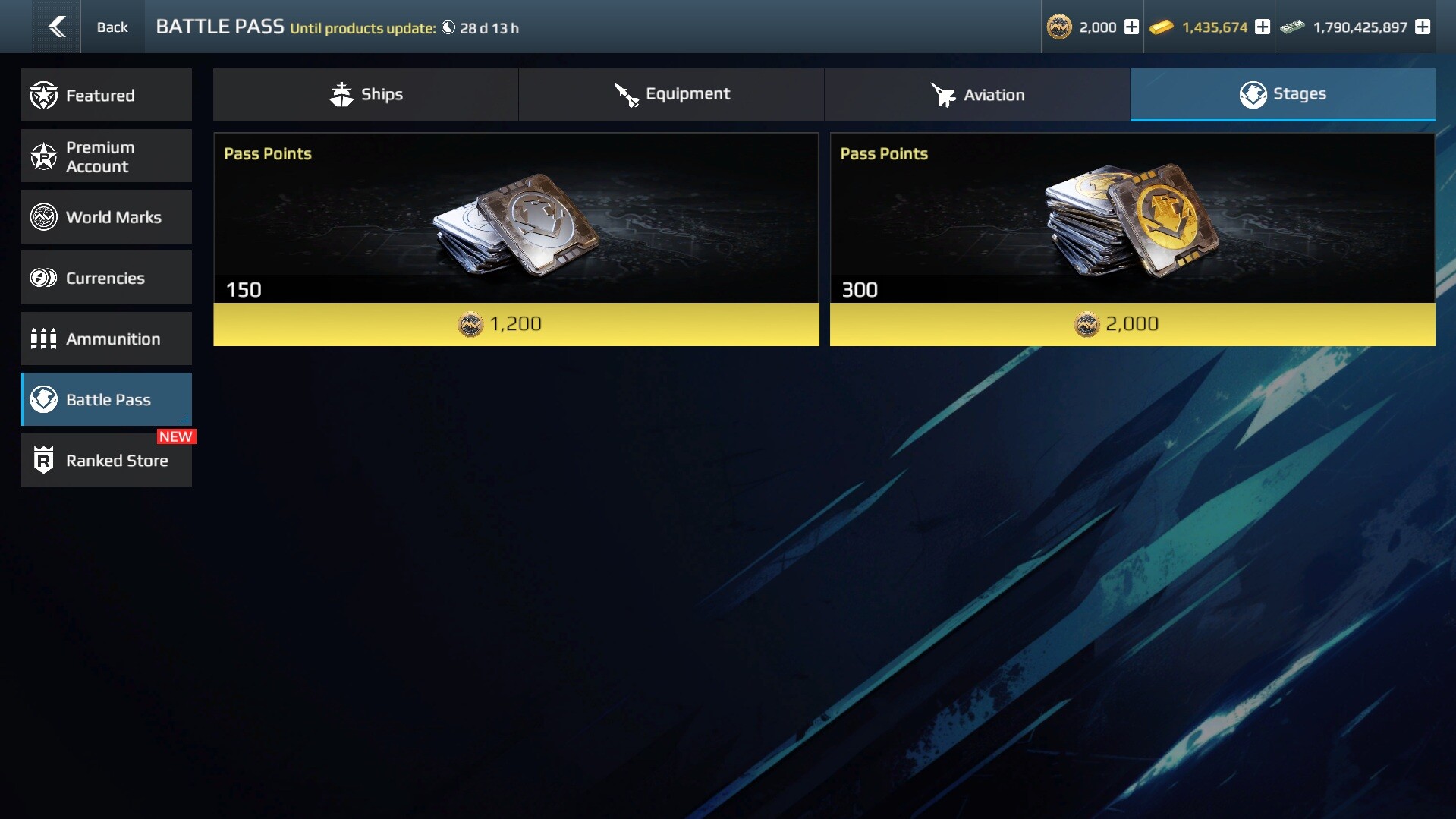
Store Features
- The store inventory refreshes once per season — at the start of a new Battle Pass. Some items may remain available for more than one season.
- Each item in the store has a purchase limit. As a rule, ships can be purchased 1 time, while equipment and aviation items have a limit of 3.
- An update timer is displayed at the top of the store, showing how much time remains until the end of the current season.
New Unique Equipment:
- Every two seasons, one new ship is added to the store (available for 2 seasons) along with three new equipment items (available for 1 season).
- Additionally, one unique equipment item appears in the VIP Battle Pass track each season. Beyond that, the store is regularly restocked with ships and equipment from past seasons.
First Purchase Discount
Each season, a 30% discount applies to the first purchase in each store category:
- The discount applies to the first purchase in each of the three categories separately.
- After the first purchase in a category, the discount on all remaining items in that category is removed.
- At the start of a new season, the discount status resets — the bonus becomes available again in each category.
This means it's more beneficial to spread your purchases across all three categories rather than focusing on just one.
Battle Pass Tier Lock
- Some items in the BP Store are locked until you reach a certain stage in the current season. For example, a specific weapon may be unavailable until you reach stage 15 — even if you already have enough Credits to buy it.
- The lock is displayed directly on the item card. Keep advancing through Battle Pass stages to unlock more items in the store.
Important: this restriction only applies to your first run through the season. If you have completed the Battle Pass and started a new run (by resetting with Gold), the locks will not reappear.
Market
All items from the BP Store can be sold on the Market for Artcoins. Items become available for sale 30 days after being obtained.
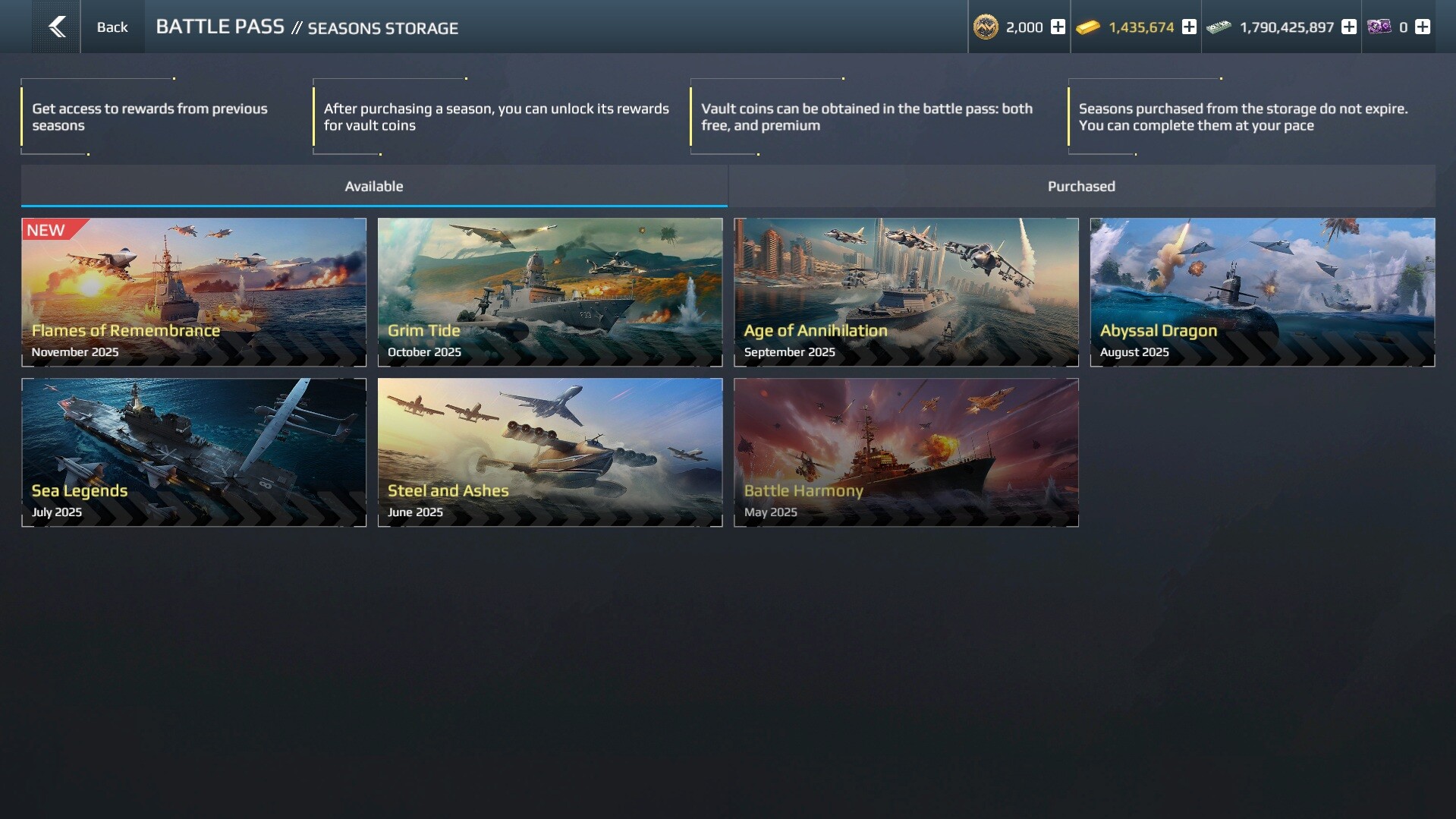
Seasons Storage
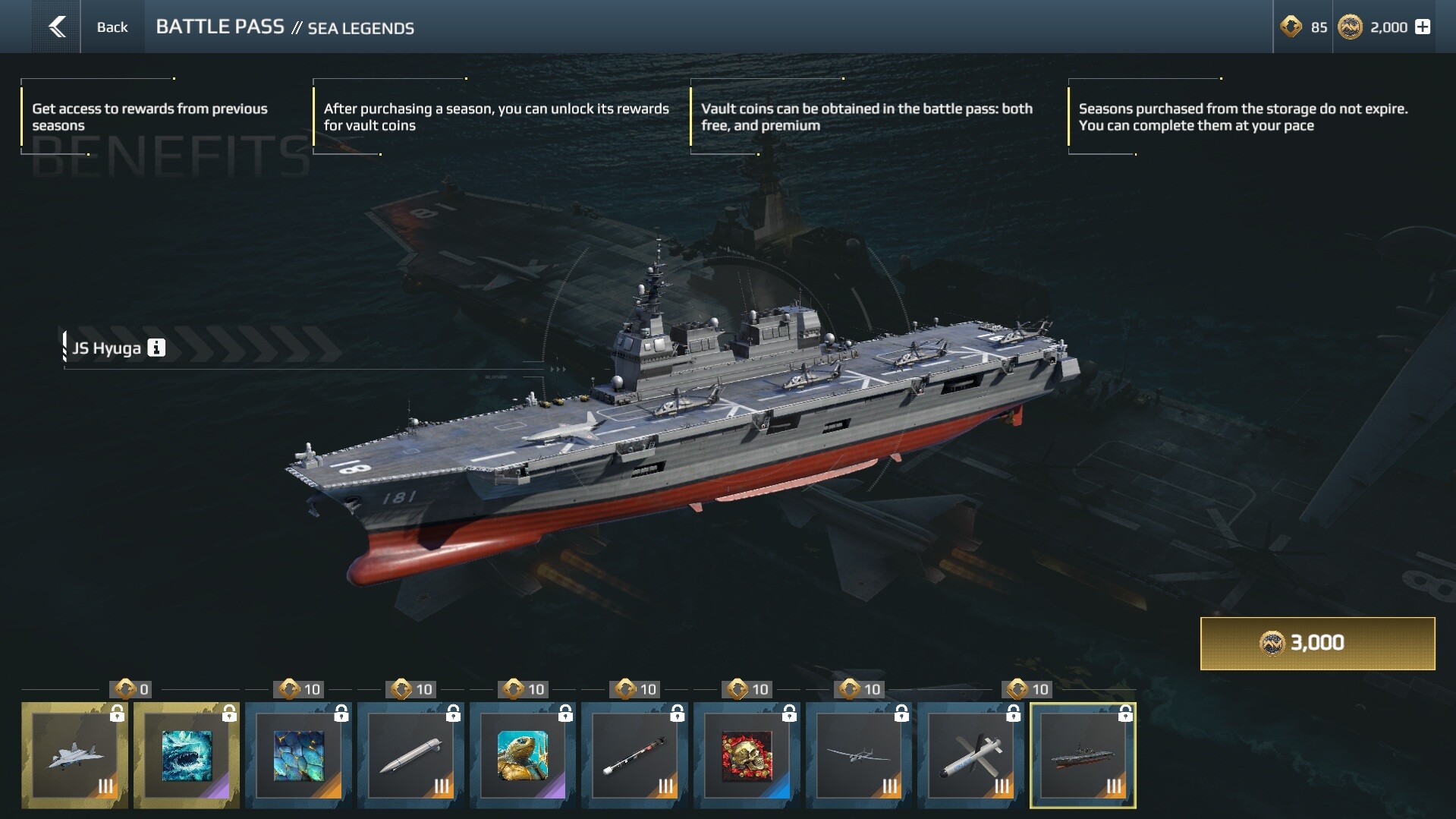
The Seasons Storage lets you purchase the main rewards from previous seasons. Once you acquire a season, its rewards can be unlocked using Vault Coins, which are earned through the Battle Pass — both in the free and Premium tracks.
- Purchased seasons never expire — unlock them at your own pace.
- Each Vault season can only be completed once.
Player Tips
Whether you're a newcomer or a seasoned veteran — don't skip the Battle Pass! Even a few battles a day is enough to make steady progress through the stages. The Pass is one of the best sources of resources and equipment in the game, and any item from the BP Store can be sold on the Market for Artcoins — the most valuable currency in Modern Warships.
Try to complete all your missions, even if they require playing ship classes you don't usually use. It's a great excuse to try something new — maybe you have a talented submarine commander hiding in you? 😉
How to Spend Your BP Credits Wisely
- Completing the free track gives you 70 Credits — just enough to grab two discounted items from different categories using the first purchase discount. If your goal is to maximize Artcoin income, this is the most efficient approach. For example, in the July 2026 season you can pick up the submarine JS Izanami and the XM1203 cannon — selling both on the Market via instant buyout will earn you a minimum of 573 Artcoins.
- A new, unique ship, which appears once every two seasons, costs 86 Credits. However, your first purchase is available at a 30% discount—60 Credits. Take advantage of the discount to get a new ship after completing one full season.
- And with a VIP Pass and two resets, the Credits stack up fast enough to buy out nearly the entire store in a single season — leaving you with a very solid Market payout 30 days later.
Frequently Asked Questions
Will my BP Credits expire at the end of the season?
— No. Credits carry over to the next season. The only exception is the end of the year: on January 1st, all remaining Credits are converted to Gold. The game will send a reminder email in advance.
I'm on the free track — is it worth saving Credits?
— Absolutely! The free track also awards Credits that can be spent on any item in the store — including equipment from paid tracks of current and past seasons. The balance is designed so that players completing the free track can purchase at least 2 equipment items.
When does the store inventory refresh?
— At the start of each new Battle Pass season. The update timer is always visible at the top of the store.
I just started playing. Is the BP Store available right away?
— Not right away. All new players start with a special introductory Battle Pass season, which features unique rewards and BP Credits in place of the store. Once completed, the full Battle Pass and the BP Store will become available.
If I buy an item with the discount and immediately buy another in the same category — will the discount still apply?
— No. The discount only applies to the first purchase in each category. After that, all remaining items in that category are sold at full price until the end of the season.
Do I need to purchase Premium or VIP again after resetting the Battle Pass?
— Yes. The corresponding Pass upgrade must be purchased again for each additional run.
How is the BP Store different from the Seasons Storage?
— They are two separate systems. In the BP Store, you spend BP Credits on individual ships and equipment. The Seasons Storage lets you purchase an entire archived season and unlock its rewards — including cosmetics and ships — using Vault Coins.
How many times can I buy the same item in the BP Store?
— Each item has a purchase limit. As a rule, ships can be purchased 1 time, while equipment and aviation items have a limit of 3.