Game Knowledge Base
Comparison System
CN Type 058 or USS Zumwalt? ALKA (DEWS) or HPLS 100? EMRG Konig or Primetron?
Previously, if players wanted to compare these and other modules, they often had to turn to third‑party resources or other users.
Of course, we don’t discourage the desire to find the necessary information — on the contrary, we’re very happy when someone wants to learn more about a module’s specifications. However, there were cases when the information obtained wasn’t always reliable, which raised additional questions among players.
But now, there’s an option to use the comparison feature - right in the game!
Where is it?
In the port, on the “Ships” and “Equipment” tabs, you’ll notice a scale icon — this is the comparison button.
How to use it?
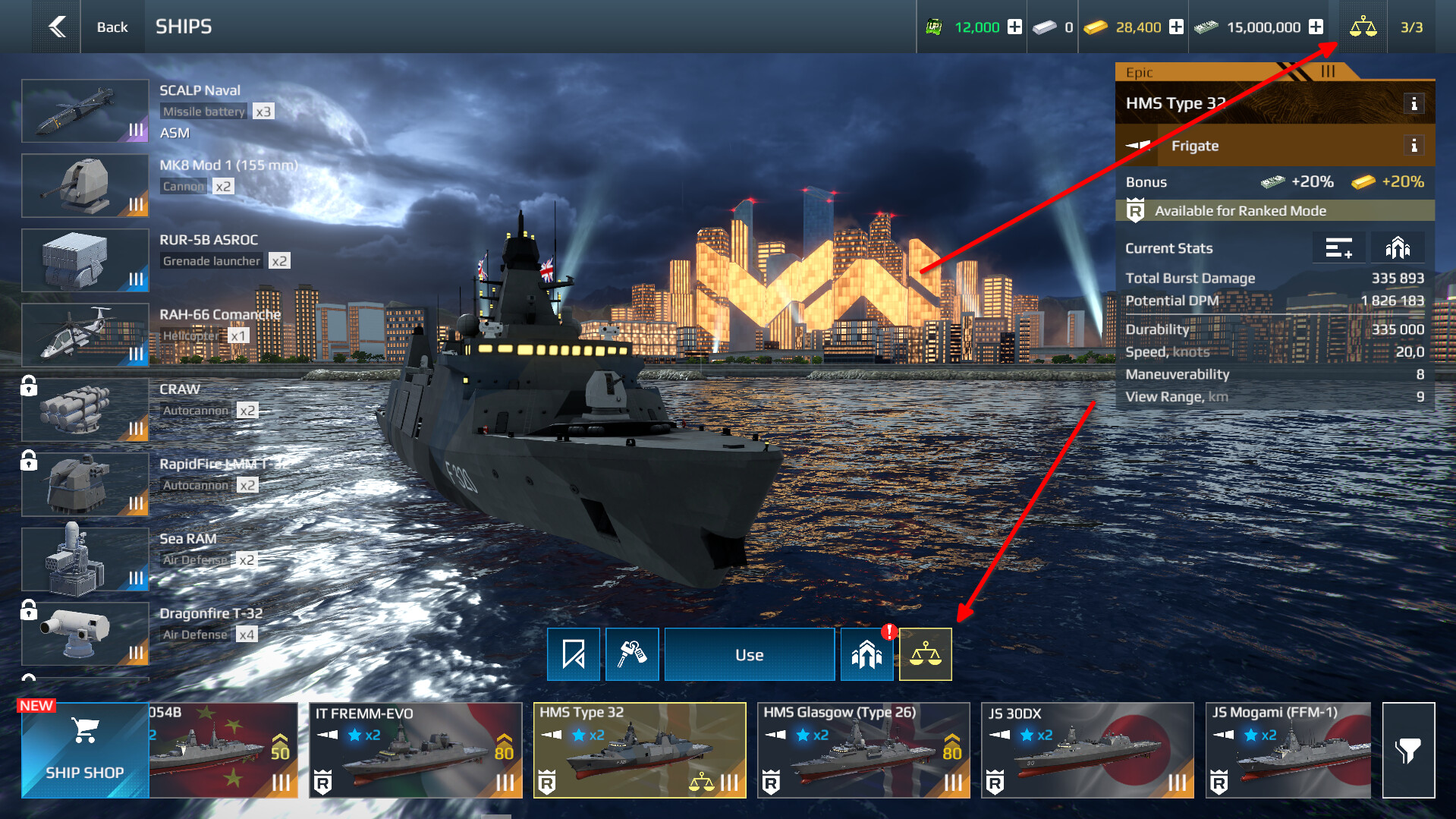
- Click the scale icon in the top‑right corner — it also shows the number of items you’ve selected. This will open the comparison window.
- Select up to three modules of the same class for a detailed equipment analysis.
- An indicator will appear on the card of the unit you’ve chosen — it means the item has been added to the comparison list.
Important limitations
You cannot compare:
- items of different tiers (for example, a Tier 2 and a Tier 1 ship);
- items of different classes (for example, a grenade launcher and a missile, etc.).
If you try to do so, the system will prompt you to:
- clear the comparison list completely;
- add only the unit you’ve just selected.
What you’ll see in the comparison
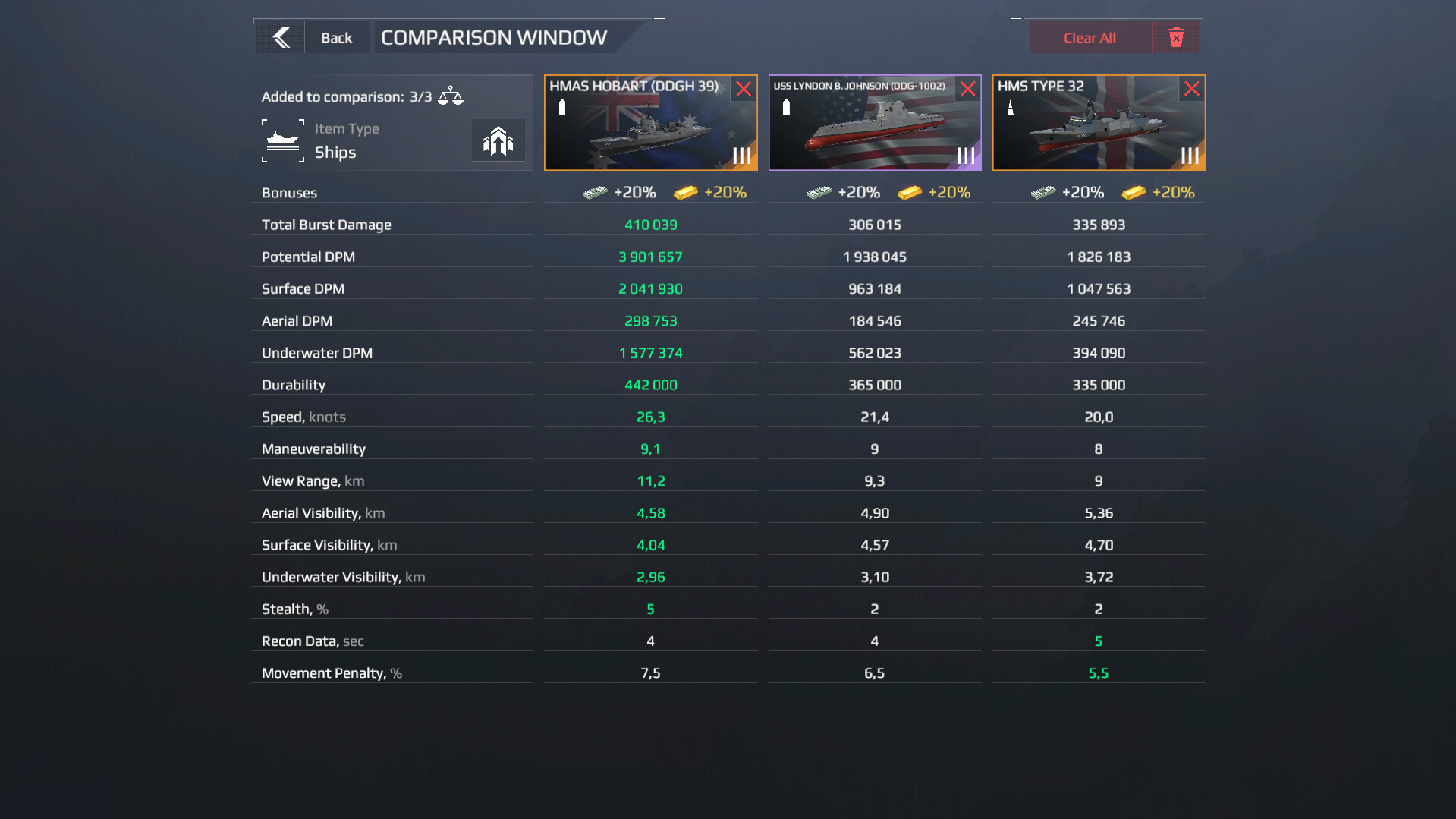
- the statistics of the selected equipment;
- to the right of the ships, a button that lets you view the statistics with full upgrades applied.