게임 관련 정보
Visibility System
Modern Warships features a unique visibility system — let’s take a closer look at how it works.
Key Details:
- A player’s visibility directly depends on their actions, such as movement or firing weapons
- Ships with the “Stealth” parameter have significantly more advantages and upgrade potential
- All ships have three observation zones. Ships will not suddenly appear or disappear right in front of the player
- There are multiple threat markers to ensure maximum situational awareness during combat
I. Detectability
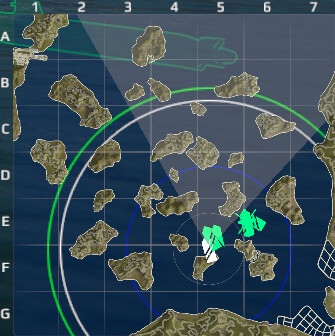
To understand detectability, we should start with the minimap in the combat interface. The main purpose of the minimap is to improve the player’s situational awareness in battle.
Minimap Features:
- The minimap has a square format that displays the entire combat area, as well as a smaller area around the player’s unit
- Obstacles are displayed realistically, taking into account terrain textures and elevation. Destructible objects, such as icebergs, are hatched and highlighted with a yellow border
- The minimap includes a coordinate grid. Each square represents an area of approximately 1.9 × 1.9 km
- Detection radii are displayed as multiple circles, each representing a specific type of detectability:
- Subsurface detectability — blue circle
- Air detectability — green circle
- Surface detectability — white circle
- Minimum contact distance — smallest gray circle
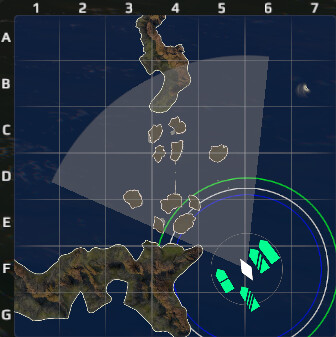
What is Detectability?
Detectability is a parameter that determines when your unit becomes visible to the enemy. As mentioned earlier, there are three main types of detectability. The logic behind them is the same, but each type corresponds to detection by specific unit types.
Surface Detectability (White Circle)
Detection between ships is based on surface detectability. Your ship remains invisible to enemy ships until one of them enters your surface detectability radius. The ship with the larger detectability radius will be detected first.
When detected, a red indicator light with a sound cue appears in the combat interface. The indicator remains active as long as at least one enemy unit can see you.
Ways to break detection:
- Increase distance so that no enemy units are within your detectability radius
- Fully conceal your ship behind obstacles from all enemy lines of sight
In any case, the minimum time your ship remains visible equals the enemy’s “Recon Data” parameter value of the unit that last spotted you. More details are provided in another section.
Air and Subsurface Detectability
Air detectability (green circle) and subsurface detectability (blue circle):
These function the same way as surface detectability. Once an enemy aircraft enters your air detectability radius, your ship is spotted.
Example:
Your ship has the following detectability values:
- Surface detectability: 6 km — detected by enemy ships at 6 km
- Air detectability: 5 km — detected by aircraft at 5 km
- Subsurface detectability: 4 km — detected by submerged submarines at 4 km
Exception:Submarines can only be detected by specific aircraft types:
- Helicopters
- Attack aircraft “PSF-01” and “SH 37 Viggen”
- Anti-submarine aircraft such as “P-1 Kawasaki”, “P-8A Poseidon”, and others
Minimum Contact Distance
Minimum contact distance is a parameter available only for ships and is always equal to 1 km.
At this distance, ships will detect each other regardless of obstacles.
It is displayed as the smallest circle on the minimap.
II. Detection Indicator
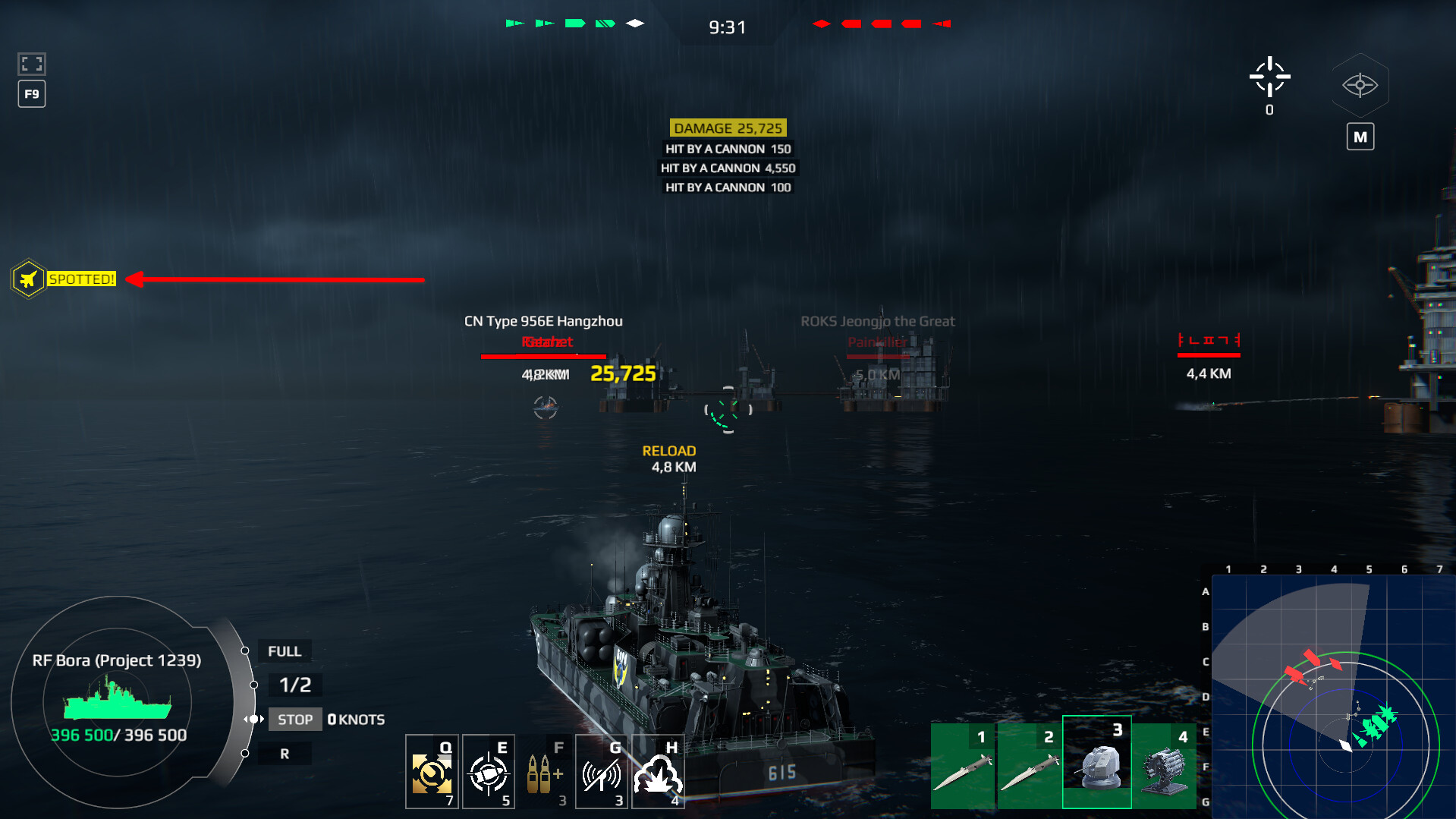
The detection indicator is located below the minimap.
Its key feature is additional icons that specify how your unit was detected:
- Ship icon — spotted by an enemy ship
- Aircraft icon — spotted by enemy aviation
- Binocular icon — spotted via minimum contact distance
III. View Range
When allies detect an enemy, you can see:
- The ship model
- Its health bar
- Its icon on the minimap
However, to attack, the enemy must be within your view range — the area your camera is facing (shown as a gray cone).
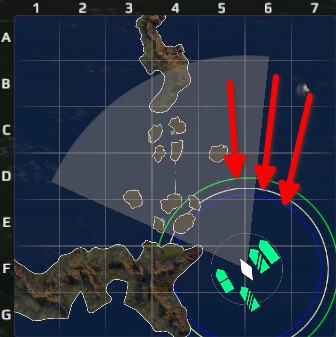
If the enemy is outside this zone:
- Only a contour icon is visible
- You cannot attack
Allied units outside your view range are also shown as contour icons.
The larger your view range, the earlier you detect enemies and can engage them while remaining undetected.
IV. Factors Affecting Detectability
Detectability is highly dynamic and depends on your actions in battle.
1. Movement Penalty
- Applies only to ships and naval drones
- The higher the speed, the higher the detectability
- No penalty below 25% speed
- Thresholds: 25%, 60%, 90%
- Aircraft are not affected
2. Firing Penalty
- Applied when firing any weapon
- Takes effect instantly
- Varies depending on the weapon type
- Only the highest penalty is applied
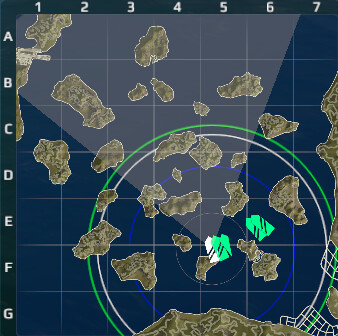
Penalty Interaction:
- Penalties stack
- Moving + firing = maximum detectability
Reset conditions:
- After stopping or ceasing fire
- If detected: 15 seconds + “Recon Data”
Can be reset by:
- Hiding behind obstacles
- Leaving enemy line of sight
V. Stealth
Stealth reduces detectability in all directions (surface, air, subsurface) by a percentage.
Example:5% stealth reduces all detectability types by 5%
Notes:
- Available for aircraft as well
- Not all units have this parameter
VI. Threat Indicator
Located around the crosshair.
Types:
- Yellow — targeting indicator
- Red — launch indicator
- Orange arrows — damage direction
Features:
- Multiple indicators can appear simultaneously
- Indicators maintain direction when the camera rotates
- Can be disabled in settings
VII. Projectile Markers
Projectile markers help quickly identify the type of incoming threat.
Marker Types:
- Air defense missiles — dot inside a diamond
- Missiles (decoyable) — filled diamond
- Missiles (non-decoyable) — outlined diamond
- Anti-submarine missiles — outlined diamond with a dot
- Torpedoes (decoyable) — filled triangle
- Torpedoes (non-decoyable) — outlined triangle with a vertical line
VIII. Consumable: Smoke Screen
If a ship:
- Is not detected
- Is not firing
Then:
- Surface detectability = 1 km
- Air detectability = 0
- Subsurface detectability = unchanged
Features:
- Firing does not increase air detectability
- No movement penalty
- If detected: persists for 15 sec + “Recon Data”
Important:
- If any part of your ship is outside the smoke, you can be detected
- If both ships are fully inside smoke, detection is impossible
IX. Additional Parameters
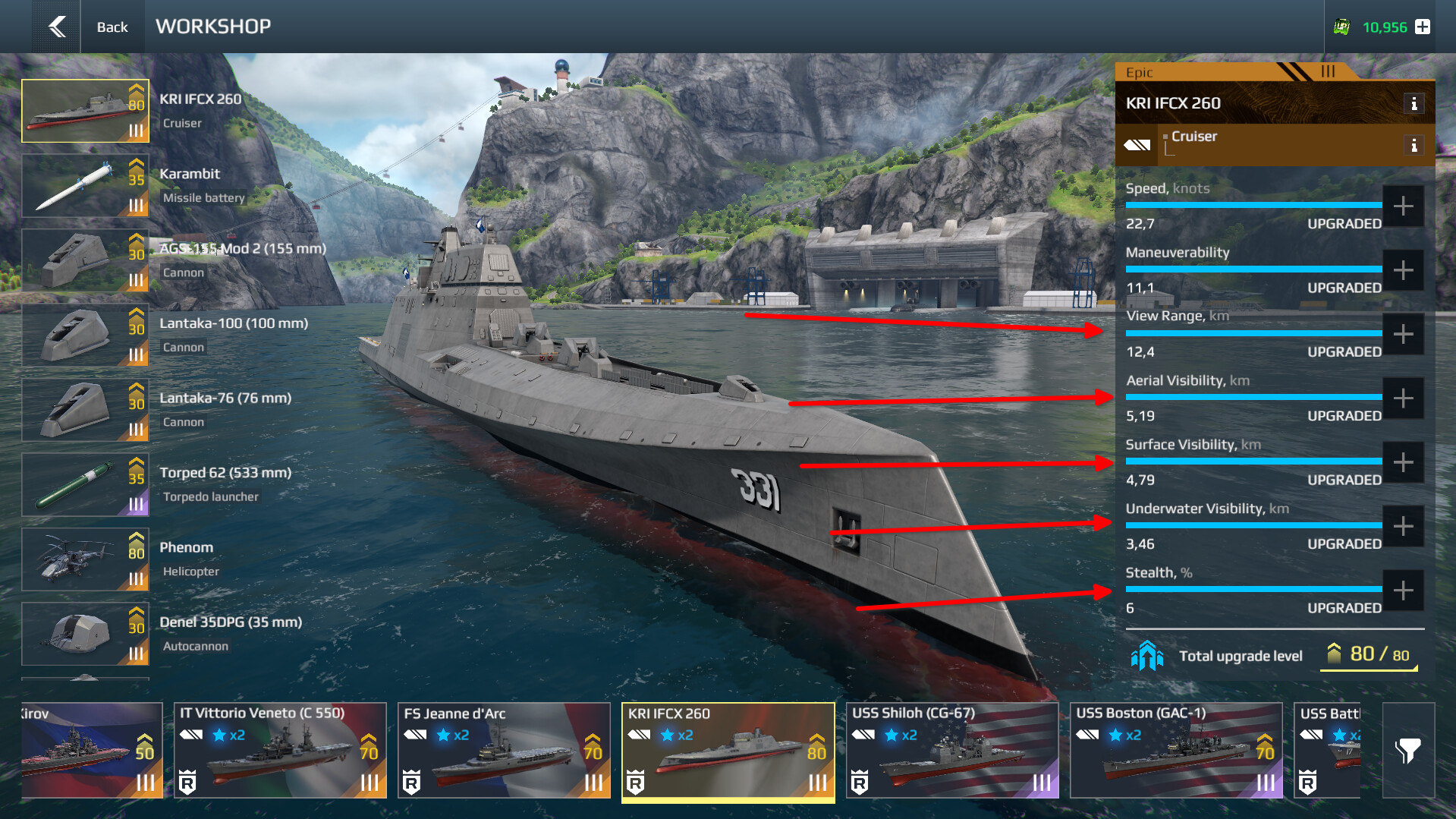
Ships and Unmanned Vessels:
- View range
- All detectability types
- Stealth
- Movement Penalty
- Recon Data
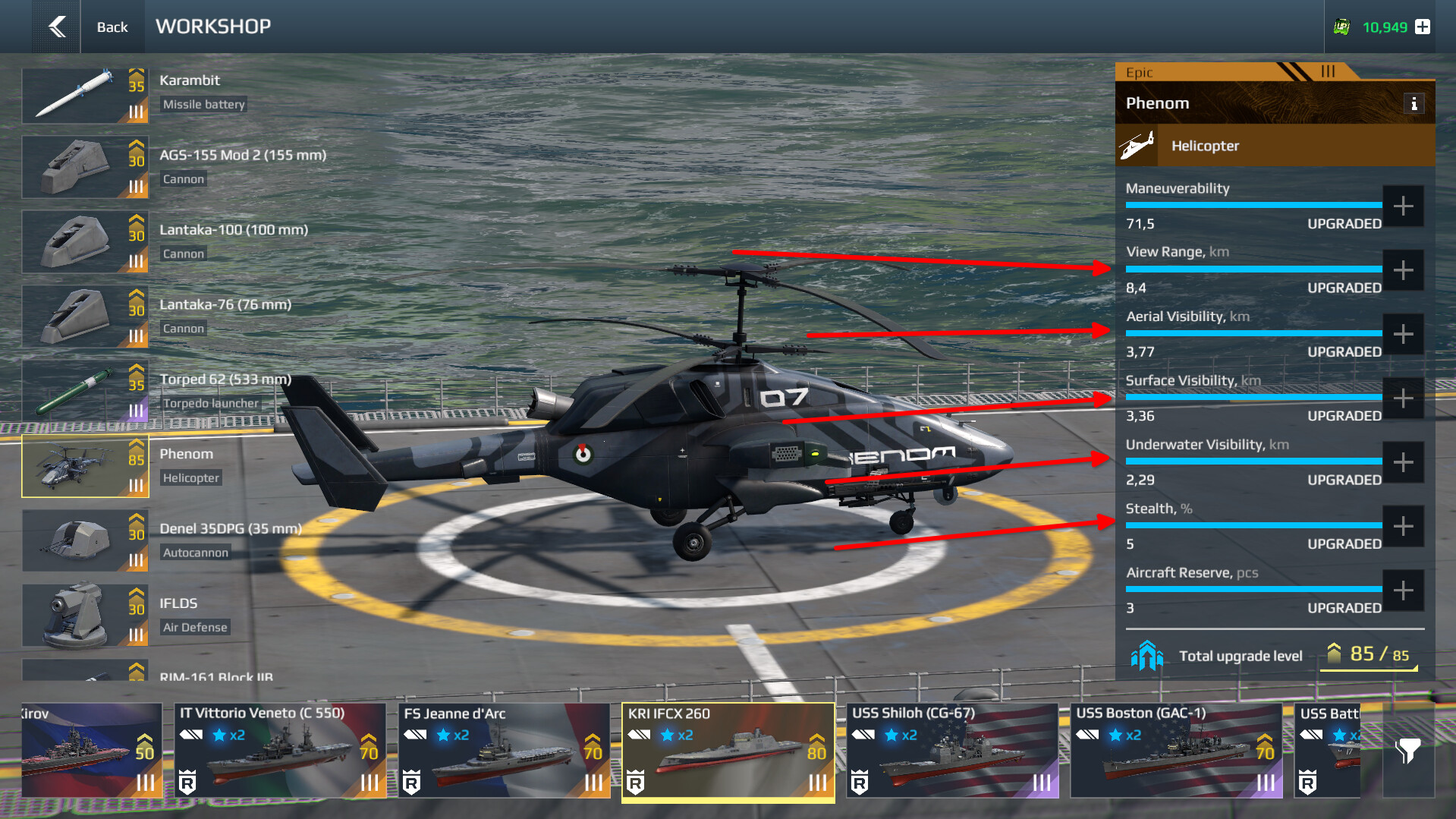
Aircrafts:
- View Range
- All detectability types
- Stealth
- Recon Data
Upgrades:
- –15% Detectability
- +20% View Range
- +300% Stealth
X. Useful Tips
- Your detectability depends on your actions — plan accordingly
- Consider weapon penalties when building loadouts
- Fully conceal your ship behind obstacles
- Keeping enemies spotted longer is more important than spotting first
- Avoid rushing at the start — take advantageous positions and maintain distance
We hope this information helps you master the new visibility system.
Good luck on the seas of Modern Warships!